Quick Overview — Canva AI in 2026
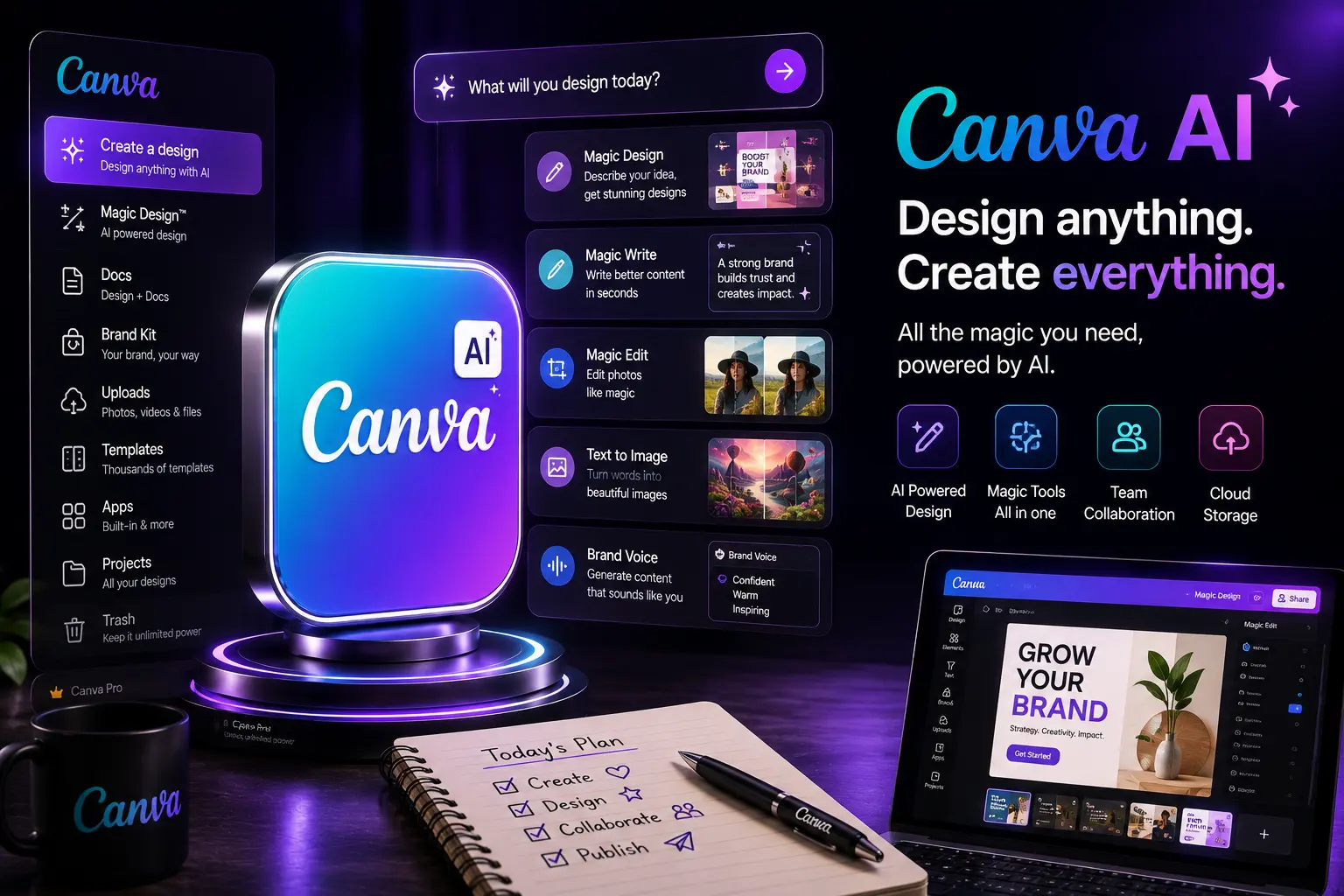
Canva combines approachable design tools with powerful AI features: text-to-image and text-to-video generation, smart templates, document-to-design conversion, brand kit automation, and team collaboration. The platform prioritizes ease-of-use while adding enterprise features like SSO, brand governance, and asset management.
1. Core Capabilities
- Smart templates — adaptive templates that resize, recolor and reflow content automatically for different formats and platforms.
- Multimodal generation — integrated text-to-image, text-to-video, and audio tools to create assets from prompts and examples.
- Magic Design / Auto Layout — automatic layout suggestions and content-aware design adjustments.
- Brand Kit & Design Systems — centralized control of logos, palettes, fonts and approved components for consistency across teams.
- Team collaboration — shared folders, comment threads, version history and approval workflows.
- Integrations — connectors to Google Drive, Dropbox, Airtable, Slack, marketing platforms and CMS systems.
2. Writing and Creative Prompts
Canva’s AI writing features accelerate copy generation for headlines, captions and ad copy. In professional workflows, prompts that include tone, audience and call-to-action produce better results. Combine short creative prompts with examples to guide style and length.
Example prompt
"Create five Instagram caption options for a sustainable fashion brand targeting 25–35 year old urban professionals — keep each under 90 characters and include an eco-friendly call-to-action."
3. Multimodal: Images, Video & Audio
Canva AI's multimodal features let teams generate on-brand images, short social videos and audio tracks. Important professional considerations:
- Use brand seeds (logo, palette, sample images) to keep AI generations consistent.
- For video, prefer storyboard prompts and supply example clips where possible.
- Review and retouch generated assets in the editor — AI outputs are starting points, not final masters.
4. Brand Management & Governance
The Brand Kit is the heart of team governance in Canva. In 2026 it provides locked styles, component libraries and template approval flows so marketing, design and legal can standardize visuals across campaigns without blocking creators.
Best practice
Maintain a small set of approved templates and train internal creators on when to adapt templates versus creating new designs — this balances consistency and creativity.
5. Files, Projects & Asset Management
Canva’s workspace supports projects with nested folders, version history and export presets. For large campaigns, use naming conventions, asset tags and content pins to keep files discoverable. Integrate with cloud storage and CMS to automate publishing and archiving.
6. Collaboration & Approval Workflows
Canva provides in-app comments, approval lanes and role-based permissions. For enterprise teams, approval gates can be configured so assets reach legal or brand review before publication. Session sharing and live editing reduce review cycles when stakeholders want to iterate together.
7. Integrations & Automation
Canva integrates with marketing stacks and productivity tools to automate content distribution. Use webhooks or Zapier-like connectors to push finished assets to social schedulers, ad platforms or content management systems. Automations reduce manual export tasks and help keep publish pipelines consistent.
8. Accessibility & Inclusive Design
Canva includes accessibility checks and suggestions for contrast, readable font sizes and image descriptions. For public-facing content, run accessibility checks before publishing and provide alt text for generated images.
9. Pricing & Plan Considerations (2026)
Canva offers tiers for individuals, teams and enterprises. When selecting a plan consider:
- Asset storage and team seats — number of editors and storage quotas.
- Brand controls — locked templates, SSO, audit logs and single-tenant options for enterprises.
- AI generation allowances — limits on image/video generations, priority rendering and commercial usage rights.
- Support & SLAs — enterprise-level support, onboarding and dedicated success managers.
10. Professional Tips for Teams
- Create a lightweight brand playbook that outlines template usage and voice guidelines.
- Version-control key templates and store canonical variants in the Brand Kit.
- Use short, specific prompts and include example images for better multimodal results.
- Automate publishing via integrations to reduce manual errors and speed time-to-market.
- Run quick A/B tests with multiple AI-generated variants and track performance.
- Keep an asset registry with metadata (campaign, owner, usage rights, expiration).
- Train non-design stakeholders on basic template edits to decentralize small deliverables.
- Schedule regular audits to retire stale templates and assets.
- Use role-based approvals for legal or compliance-sensitive campaigns.
- Capture reasons for major template changes in comments to preserve rationale for future teams.
11. Common Mistakes to Avoid
- Over-relying on automatic layouts for complex brand needs — human review is still essential.
- Allowing uncontrolled template proliferation that fragments brand identity.
- Not tracking usage rights for AI-generated assets (licenses can vary by provider and plan).
- Neglecting accessibility checks before publishing public content.
12. Quality Control & Production Workflows
Implement a lightweight quality pipeline:
- Draft: generate 3–5 variants using AI tools.
- Refine: apply brand styles and human edits in the editor.
- Review: route to stakeholders for design and legal checks.
- Test: preview on target platforms and devices.
- Publish & Monitor: deploy via integrations and measure performance metrics.
13. Ethics & Responsible AI Use
Use AI responsibly: verify that images do not infringe IP, avoid generating misleading or deepfake content, and ensure consent when using likenesses. Maintain transparency when synthetic content is used publicly.
14. Practical Final Verdict (2026)
Canva AI is a compelling choice for teams that need fast, consistent creative output without heavy design overhead. It excels at social content, marketing materials and campaign-level asset production by combining templates, multimodal generation and collaboration. For highly bespoke design systems or specialized visual effects, pair Canva with dedicated design tools and human craft. For most marketing and product teams, Canva AI meaningfully reduces time-to-publish while preserving brand quality when used with governance.
Official Link
For the latest features visit:
✨ Try Canva — Official