What Is Cursor ?
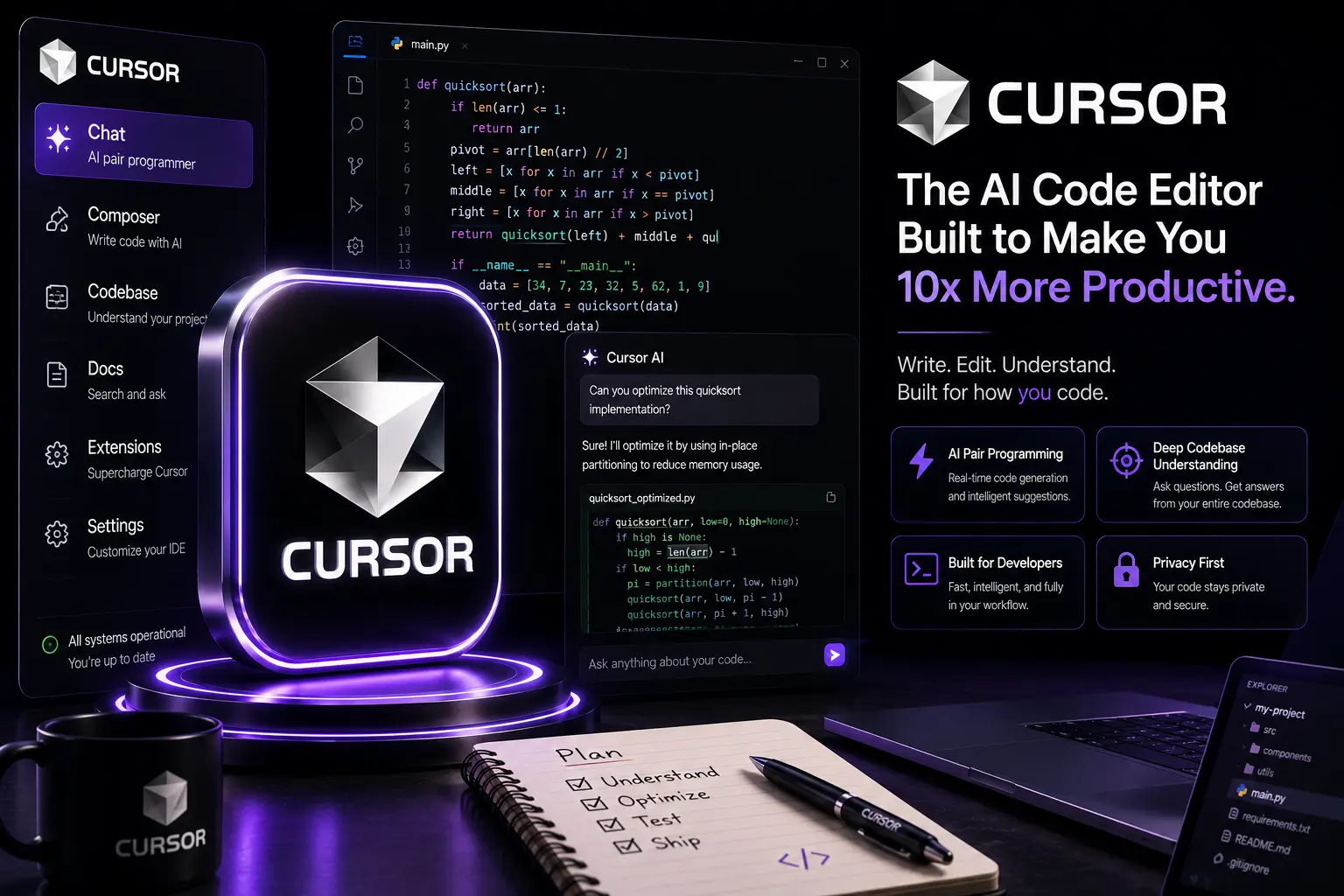
Cursor is an AI-first integrated development environment (IDE) and assistant designed for modern software teams. It blends a local editing experience with cloud-hosted AI services, enabling intelligent code generation, live agent workflows, contextual project search and collaborative debugging — all inside an editor optimized for developer productivity and safety.
Why Cursor Feels Premium
Cursor positions itself as a premium product through three consistent elements: a refined UX tailored to developer flow, deep model integration that understands project context across multiple files, and enterprise-grade controls around data handling and auditability. In practice this means fewer context switches, higher-quality drafts, and clearer provenance for AI-driven edits.
Key Capabilities (At a Glance)
- Context-aware completions — project-scoped suggestions that use repository state and test coverage.
- Agentic tooling — multi-step agents that run tests, open PRs, and apply safe refactors under policy rules.
- Live collaboration — real-time pair programming and shareable sessions with permission controls.
- Integrated RAG — retrieval-augmented generation against your codebase, docs and chosen knowledge stores.
- Local-first privacy — options to keep code and context on-premises or in a private VPC.
- Plugin/extension ecosystem — integrations with CI, issue trackers, cloud providers and testing frameworks.
1. Coding and Agentic Workflows
Cursor's agent model is designed around safety and repeatability: agents can perform sequences such as run tests, generate a patch, open a draft PR and annotate changes — but they do so with explicit, auditable steps. Developers configure guardrails (unit-test thresholds, disallowed APIs, or required reviewers) and the agent enforces these before committing.
For day-to-day coding, Cursor provides multi-file refactors that understand dependency graphs, type information and test coverage. In large repositories this reduces the manual work of keeping changes consistent across modules.
Developer ergonomics
Cursor emphasizes short feedback loops: inline AI hints, ephemeral sandboxes for generated code, and one-click run/test cycles. These conveniences speed iteration while preserving a clear separation between human-authored and AI-suggested code.
2. Collaboration & Pair Programming
Cursor’s collaborative features are built for distributed teams. Shareable sessions let team members follow live edits, replay a session's timeline, or fork a workspace. Permission sharing and session-level privacy settings make it practical for mixed internal/external reviews.
Crucially, Cursor retains contextual chat and code together — conversation threads are attached to code locations, making decision history searchable and reusable.
3. Files, Projects and Large Codebases
Working across many files is where Cursor shines. It offers project-aware search, semantic code navigation, and contextual suggestions that span entire repos. Cursor's indexing pipeline supports custom exclusion rules (to avoid node_modules, generated folders) and lets teams attach private knowledge stores for RAG.
Versioning and artifacts
All AI edits can be previewed as diffs and are exportable as commits or patch files. This keeps artifact management aligned with existing Git workflows and CI pipelines.
4. Multimodal & Developer Tools
In 2026 Cursor supports multimodal inputs relevant to development: screenshots, terminal recordings, and annotated design files. You can paste an image of an error message or a stack trace screenshot and receive guided debugging steps that reference your repo.
It also integrates with terminal sessions and containerized sandboxes to run generated code in isolated environments before you accept changes.
5. Security, Privacy & Compliance
Cursor offers flexible deployment models: SaaS with enterprise contracts, self-hosted agent runners, and VPC connectors. For regulated environments, these options allow teams to enforce data residency and to keep model inputs/outputs off third-party clouds when required.
Audit logs, user-level action traces and prompt versioning are available in premium tiers — essential for compliance reviews and incident investigations.
6. Integrations & Ecosystem
Cursor is designed to slot into existing engineering toolchains. Out-of-the-box integrations typically include:
- Source control (GitHub, GitLab, Bitbucket)
- CI/CD pipelines (GitHub Actions, Jenkins, CircleCI)
- Issue tracking (Jira, Linear)
- Cloud providers and registries (AWS, GCP, Azure)
- Storage & docs (Google Drive, S3, internal wikis)
7. Pricing & Plan Considerations (Practical)
In 2026 Cursor typically offers a free tier for personal use and paid tiers for teams and enterprises. When evaluating pricing, focus on:
- Included compute — how many agent runs or model tokens are bundled.
- Hosting options — whether private hosting or VPC connectors are included at enterprise tiers.
- Audit & compliance features — logging, exportable trails and prompt versioning are usually enterprise add-ons.
- Support SLA — guaranteed response and incident handling for production teams.
Always request a trial that mirrors your production scale and ask vendors for a clear TCO breakdown (model cost, storage, engineering integration and human review overhead).
8. Professional Workflows & Best Practices
To get the most from Cursor, teams should adopt repeatable workflows:
- Define clear success metrics for generated code (tests, linting, performance).
- Version-control prompt templates and agent recipes alongside code.
- Automate safety checks (type checks, security scanners) in CI for AI changes.
- Keep sensitive data out of prompts or use private hosting for secure prompt handling.
- Use human-in-the-loop approvals for all production merges initiated by agents.
9. Common Mistakes Teams Make
Avoid predictable pitfalls:
- Blindly accepting AI-generated code without tests or audits.
- Over-indexing on short-term productivity gains instead of long-term maintainability.
- Not tracking prompt changes — prompts are code for the model and deserve the same review discipline.
- Assuming default model settings are safe for sensitive repositories; always evaluate privacy settings.
10. Choosing Cursor — When It Makes Sense
Cursor is an excellent fit when your team values tight editor integration, reproducible agentic workflows and enterprise-grade controls. It's particularly useful for:
- Distributed engineering teams who want shared, replay able sessions and stronger collaboration primitives.
- Organizations that need model-driven automation but require auditability and policy enforcement.
- Projects where reducing context switching and keeping edits close to the repository matter for velocity.
11. Practical Final Verdict (2026)
Cursor in 2026 is a premium, production-oriented developer platform that raises the bar for AI-assisted programming. It's not the cheapest, nor is it a replacement for discipline and solid engineering practices — but when used responsibly it meaningfully accelerates development cycles, improves onboarding, and centralizes the history of decisions made with AI assistance.
For teams that prioritize productivity with governance, Cursor is a leading option. For individuals or hobby projects, the free tier is a great way to evaluate the editor; for regulated environments, the enterprise offerings are worth exploring for their privacy and audit features.
Official Link & Further Reading
For the latest features, detailed pricing and enterprise options, visit:
✨ Try Cursor — Official