What Is GitHub Copilot ?
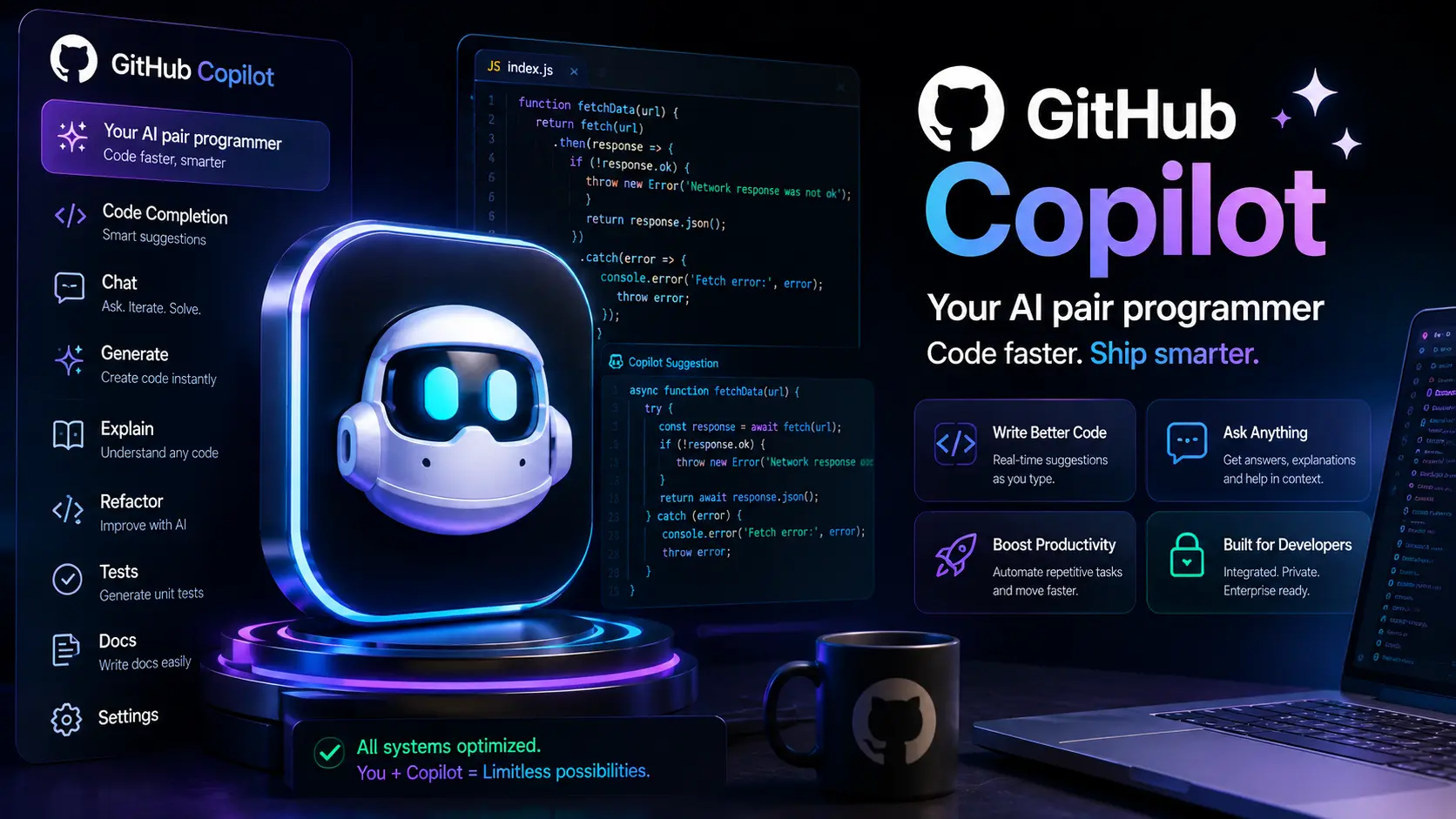
GitHub Copilot is an AI-powered coding assistant deeply integrated into editors, IDEs and CI workflows. By 2026, Copilot combines model-driven code suggestions, multi-file reasoning, code generation agents (Copilot Actions), and tighter integrations with GitHub — including code search, security scanners and deployment automation.
Where Copilot Fits
Copilot is designed as a pair programmer: it speeds up routine tasks (boilerplate, refactors), suggests tests, and helps explore unfamiliar code. For teams, Copilot Enterprise adds policy controls, data residency options and audit logs to make AI-assisted development viable at scale.
1. Core Capabilities
- Context-aware completions — suggestions that use surrounding code, repository context and open files to produce relevant snippets.
- Copilot Actions & Agents — scripted multi-step automation that can run tests, create PRs, generate changelogs and more under human supervision.
- Test and validation suggestions — recommended unit and integration tests, and test scaffolding for new features.
- Code review assistance — automated review comments, security hints and suggested fixes integrated into PR workflows.
- IDE integration — plugins for VS Code, JetBrains, Codespaces and other editors to deliver inline completions and conversational exploration tools.
2. Developer Workflows & Agentic Use
Copilot Agents allow teams to define safe automation templates: "run tests, if green create a draft PR, attach changelog and request reviewer." Agents run in controlled environments — often in ephemeral sandboxes — and require explicit approvals for commits or merges. This pattern reduces repetitive work while keeping humans in the loop.
Best practices
- Start agents in read-only mode to preview changes before enabling write actions.
- Use test thresholds and canary deployment steps before pushing to production branches.
3. Security, Licensing & IP Considerations
Security and IP are central when adopting Copilot. In 2026, GitHub and Microsoft emphasize enterprise controls: private model options, VPC connectors, explicit logging and token scoping. Teams should maintain strict access to secrets and ensure sensitive files are excluded from prompts or processed in private inference environments.
Licensing notes
Generated code may raise licensing questions — review vendor terms and maintain policies for attribution and provenance. Keep a policy for handling third-party snippets flagged by license scanners.
4. Code Quality & Testing
Copilot is effective at increasing throughput but it does not replace tests. Integrate suggested tests into CI, run static analysis, and require human approval for critical merges. Use Copilot’s test suggestions as scaffolding to speed development, then harden the tests with edge-case assertions.
5. Multilingual & Full-stack Support
Copilot supports many languages and frameworks. In 2026 it provides better support for full-stack flows: generate server endpoints, client SDKs, infra-as-code and deployment manifests as cohesive bundles rather than isolated snippets.
6. Integrations with GitHub Ecosystem
Copilot tightly integrates with GitHub features: Codespaces for instant dev environments, Actions for CI automation, Dependabot and CodeQL for security scanning. This integration lets teams create end-to-end AI-assisted pipelines that move smoothly from local editing to CI to deployment.
7. Pricing & Plan Considerations (2026)
Copilot pricing varies by individual, team and enterprise tiers. Enterprise plans bundle governance, private model options and priority support. When evaluating cost, consider:
- Per-seat licensing vs. metered usage for agents or heavy CI-driven generation.
- Costs for Codespaces and compute used by agent sandboxes.
- Enterprise features that reduce operational risk (audit logs, retention policies).
8. Onboarding & Adoption Strategy
Successful adoption blends training, policy and incremental roll outs. Start with opt-in pilots, measure developer velocity and quality metrics, and create clear guidelines for where Copilot helps versus where human control is required.
- Run a 4–6 week pilot with a cross-functional team.
- Measure metrics: PR throughput, tests per PR, defect rates and review time.
- Create prompt templates, do’s/ don’ts, and a contributor checklist for AI-generated code.
9. 10 Professional Tips for Using Copilot Effectively
- Provide context: open related files and add doc strings before asking for suggestions.
- Version prompts and templates in a repo so teams can iterate on best practices.
- Prefer short, focused prompts for complex logic; break tasks into smaller steps.
- Use Copilot’s test generation to bootstrap coverage, then extend tests for edge cases.
- Keep secrets out of prompts and configure exclusion rules for sensitive paths.
- Use agent dry-run mode for multi-step automation to preview changes and diffs.
- Integrate static analysis in CI to automatically flag risky AI suggestions.
- Rotate models when updates are available and re-evaluate outputs after major model changes.
- Log AI-generated patches with metadata (prompt, model, timestamp, author) for auditability.
- Combine Copilot with other tools — e.g., use a retrieval model for docs + Copilot for coding — to reduce hallucinations.
10. Common Mistakes & How to Avoid Them
- Accepting large AI patches without review — use staged approvals and tests.
- Not tracking which prompts produced which changes — add metadata to commits.
- Exposing secrets in prompts — enforce pre-commit checks to redact secrets.
- Assuming model outputs are secure by default — validate with security scanners and policy tools.
11. Measuring Impact
Track both velocity and quality: monitor time-to-merge, average PR size, reviewer cycle time, defect escape rates and the ratio of AI-suggested to human-authored lines. Use these metrics to tune adoption and to justify investment.
12. Practical Final Verdict (2026)
GitHub Copilot is a transformative productivity tool when used with discipline. It reduces boilerplate, accelerates onboarding and helps explore solutions faster. At enterprise scale it requires governance — private inference, audit logs, and explicit workflows — to manage risk. Teams that combine Copilot with strong CI, tests and security automation see the best results.
If your goal is to raise engineering throughput while maintaining quality, pilot Copilot with clear success criteria, invest in CI safeguards, and adopt an incremental rollout tied to measurable outcomes.
Official links
For the most current features, documentation and enterprise details, visit:
✨ Try GitHub Copilot — Official